
Screenshots
App details
- Version
- 8.0.271
- Size
- 8.04 MB
- Updated
- February 3, 2009
- Requires
- Windows 2000
- Language
- English | German | Spanish | French | Ru...
- License
- Free
- Developer
- MicroCreations
- Category
- Windows OS
SoftPas in:
This product is also available in the following languages:
About Promt Translation Agent
Download Promt Translation Agent – instant desktop translator, multilingual, secure tool
Overview
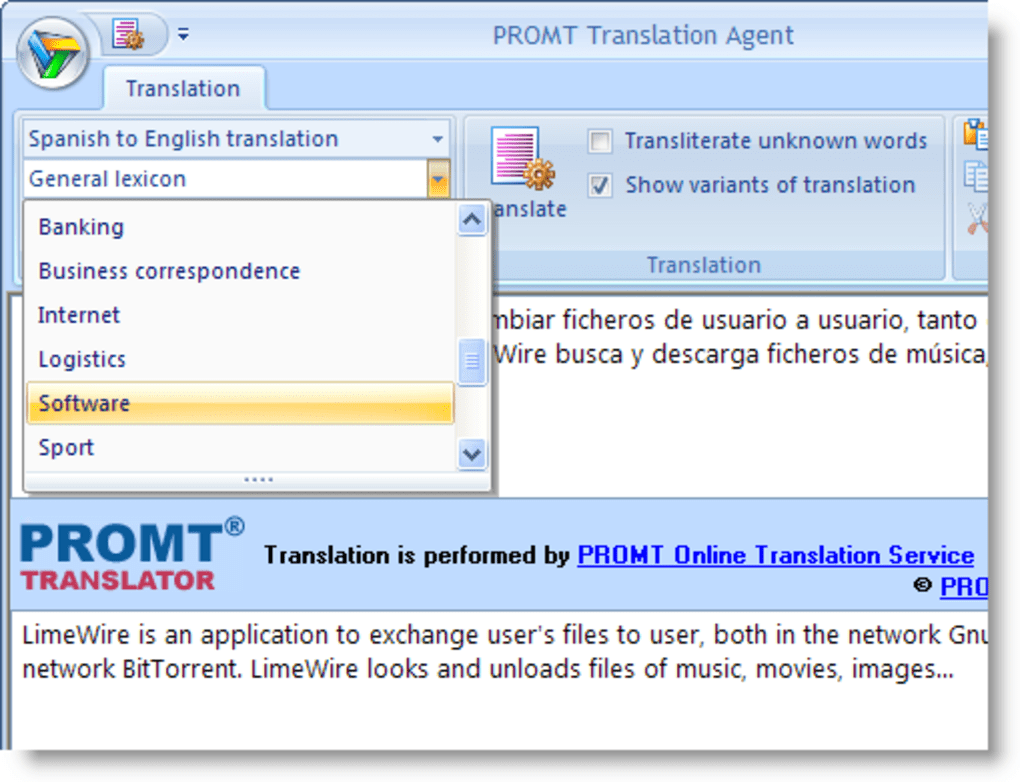
Promt Translation Agent is a lightweight desktop application that brings instant multilingual translation to your Windows workstation. Unlike many browser‑based services that require an active internet connection and a constantly shifting UI, Promt offers a clean, Office‑like interface where you can type or paste text and receive a translation with a single click. The software supports seven major languages—English, German, Spanish, Portuguese, French, Italian, and Russian—allowing you to switch between any pair of these languages without leaving the program. One of the most appealing aspects of the tool is its ability to adapt the translation engine to the type of content you are working on. Whether you are translating technical documentation, legal contracts, marketing copy, or casual conversation, Promt lets you select a vocabulary field that tailors the output to the appropriate terminology. This focus on context helps reduce the generic‑sounding results that often plague free online translators. While the application shines in speed—most translations are delivered in under a second—it does have a hard character limit of 200 characters per request. This restriction makes the program ideal for single words, short phrases, or quick checks, but it can be frustrating for longer sentences or paragraphs. In addition, occasional server downtime has been reported, which can interrupt the translation flow. Despite these drawbacks, Promt Translation Agent remains a handy utility for professionals who need a reliable, offline‑ready translation helper that respects privacy and works without the distractions of a web browser.
Key Features & Benefits
- Support for seven languages: English, German, Spanish, Portuguese, French, Italian, Russian.
- Vocabulary fields for technical, legal, medical, and everyday text to improve accuracy.
- Instant translation with a single click—results appear in less than a second.
- Office‑style interface that integrates seamlessly with copy‑and‑paste workflows.
- Lightweight installer (under 10 MB) that runs on most Windows versions.
- Secure, no‑storage policy – text is processed on the server without being saved.
- Free version available for personal use; paid upgrade offers larger character limits.
Pros
- Speed: Near‑instant translation makes it perfect for quick look‑ups.
- Contextual accuracy: Vocabulary fields reduce generic errors.
- Desktop‑only: No need for a browser, which keeps your workflow focused.
- Privacy‑friendly: Text is not stored long‑term on remote servers.
- Light resource usage: Runs smoothly on older machines.
Cons
- 200‑character limit: Too short for paragraphs or longer documents.
- Server reliability: Occasional downtime can halt translation.
- Windows‑only: No native macOS, Linux, Android, or iOS clients.
- Free version constraints: Advanced features require a paid upgrade.
- Limited offline capability: Still needs an internet connection for processing.
Installation, Usage & Compatibility
Installation steps
- Visit the official Promt website and click the Download Promt Translation Agent button.
- Save the installer file (usually
PromtAgentSetup.exe) to a convenient folder. - Run the installer and follow the on‑screen wizard: accept the license agreement, choose the installation directory (default is
C:\Program Files\PromtAgent), and click Install. - When the installation finishes, launch the program from the Start menu or desktop shortcut.
- On first launch, you will be prompted to create a free account or sign in with an existing Promt ID. This step is required to access the translation servers.
How to use the tool
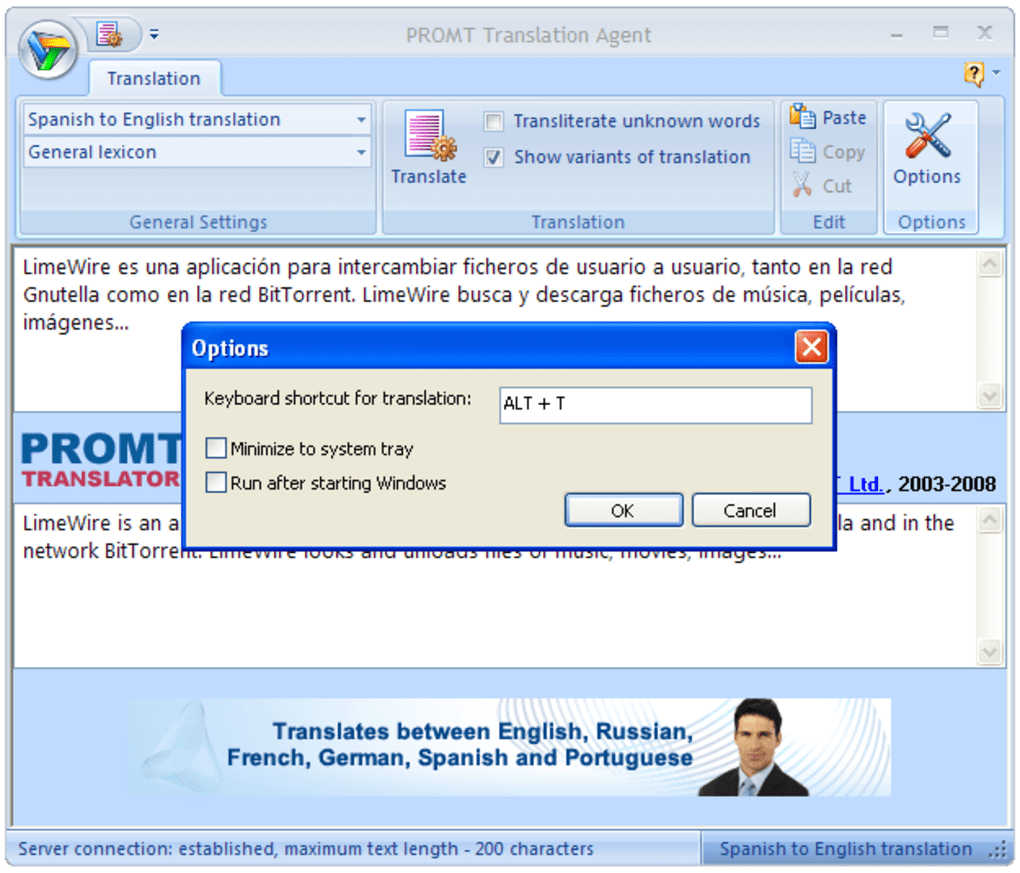
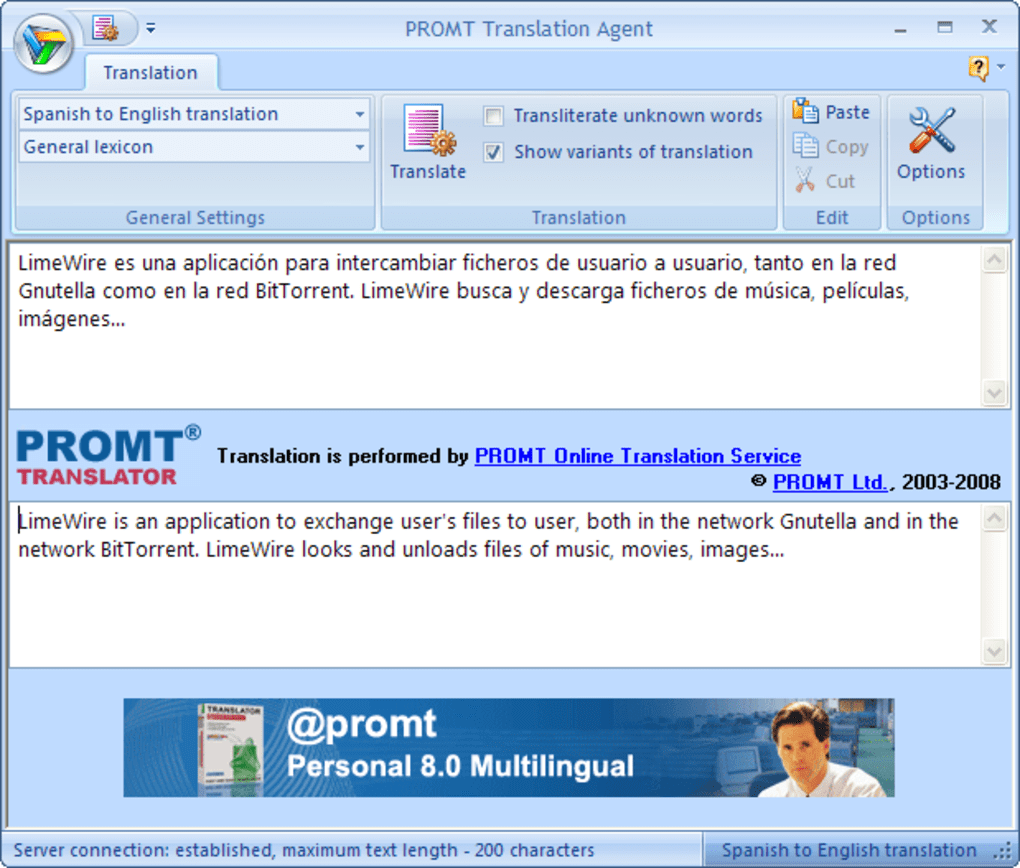
- Enter the source text in the upper pane. You can type directly, paste from another application, or drag‑and‑drop a text file (the content will be copied automatically).
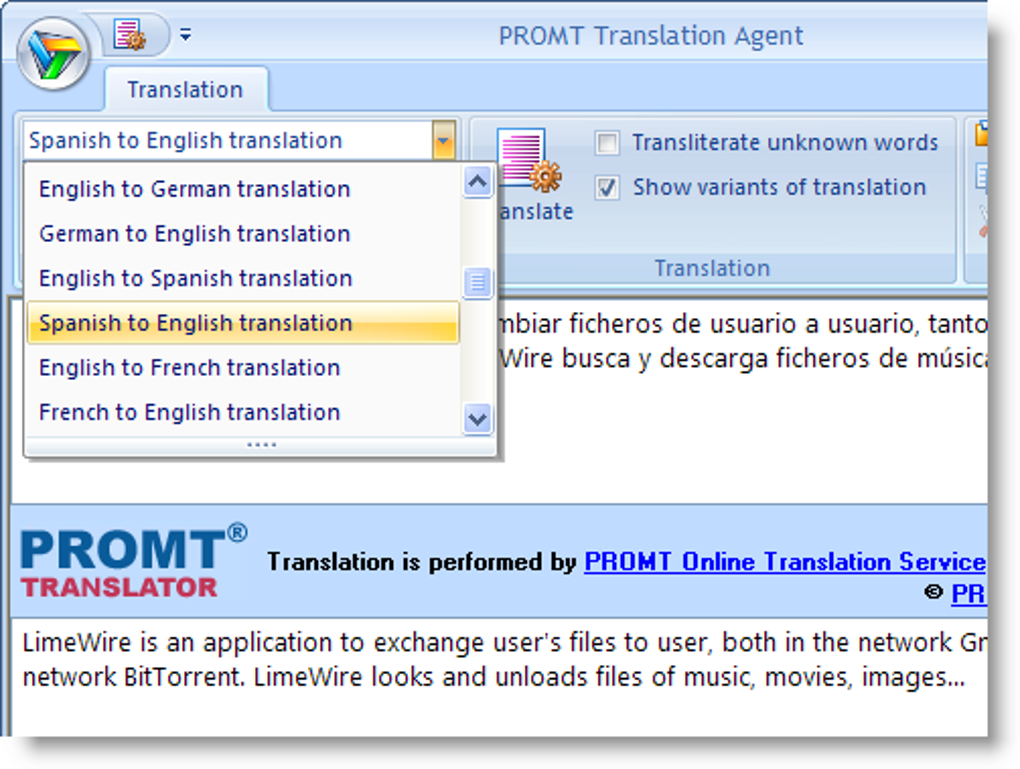
- Select the source language and target language from the drop‑down menus at the top of the window.
- If your text belongs to a specific domain (e.g., medical, legal, technical), choose the appropriate vocabulary field from the “Context” menu. This tells the engine which terminology set to apply.
- Press the Translate button or use the shortcut Ctrl + Enter. The translation appears instantly in the lower pane.
- Use the Copy button to send the translated text back to the clipboard, or click Save to write it to a .txt file.
Compatibility
Promt Translation Agent is built for Windows 7, 8, 8.1, and 10 (both 32‑bit and 64‑bit). The installer checks for required .NET Framework components and automatically prompts you to install missing libraries. Because the software relies on cloud‑based translation engines, a stable internet connection (minimum 256 kbps) is required. While the current version does not have native macOS, Linux, Android, or iOS clients, Windows users can run the application in a virtual machine or via compatibility layers such as Wine if needed.
FAQ & Final Thoughts
Can I use Promt Translation Agent without an internet connection?
No. The translation engine runs on Promt’s remote servers, so an active internet connection is required for every translation request.
Is my text stored or logged by Promt?
Promt processes the text in real time and does not retain it after the translation is delivered. The privacy policy guarantees that personal data is not stored permanently.
What is the character limit for the free version?
The free edition limits each translation request to 200 characters. Users who need longer passages can purchase the Pro license, which raises the limit to 2,000 characters per request.
Does Promt Translation Agent support batch translation?
Batch processing is not available in the desktop client. The tool is designed for quick, single‑entry translations. For bulk work, Promt offers separate API solutions.
Is there a mobile version of Promt Translation Agent?
Currently, Promt provides mobile apps under the brand “PROMT Translator” for Android and iOS, but they are distinct from the desktop Agent. The Agent remains Windows‑only.
Conclusion & Call to Action
Promt Translation Agent delivers a focused, fast, and privacy‑conscious solution for anyone who needs quick language checks without the clutter of a web browser. Its contextual vocabulary fields give it an edge over generic free translators, especially when dealing with specialized terminology. The main limitations—character cap and occasional server hiccups—mean it’s best suited for short, on‑the‑fly translations rather than large document workflows. If you frequently need to translate single words, product names, or short phrases while working on Windows, this tool is a solid addition to your productivity suite. To experience the speed and simplicity for yourself, download Promt Translation Agent now and start translating instantly.
Guides & Tutorials
How to install Promt Translation Agent
- Click the Download button above.
- Once redirected, accept the terms and click Install.
- Wait for the Promt Translation Agent download to finish on your device.
How to use Promt Translation Agent
This software is primarily used for its core features described above. Open the app after installation to explore its capabilities.
User Reviews
No reviews yet. Be the first to share your experience.
You may also like
more
Llama 2
Free-to-use large language model As the new addition to Meta’s arsenal of langua...

NotebookLM
Revolutionizing the note-taking and idea-generation process NotebookLM is an exp...

Github co pilot
AI-inspired software development and coding platform GitHub Copilot is a browser...

Google Gemma
Google’s lightweight AI models Introducing Google Gemma , a family of cutting-ed...

AI Image Enlarger
A free app for Windows, by ai-image-larger. AI Image Enlarger is a free software...

DALL E
AI-driven text-to-image transformation engine DALL·E is a free graphic and desig...